



How to choose printer ink and toner
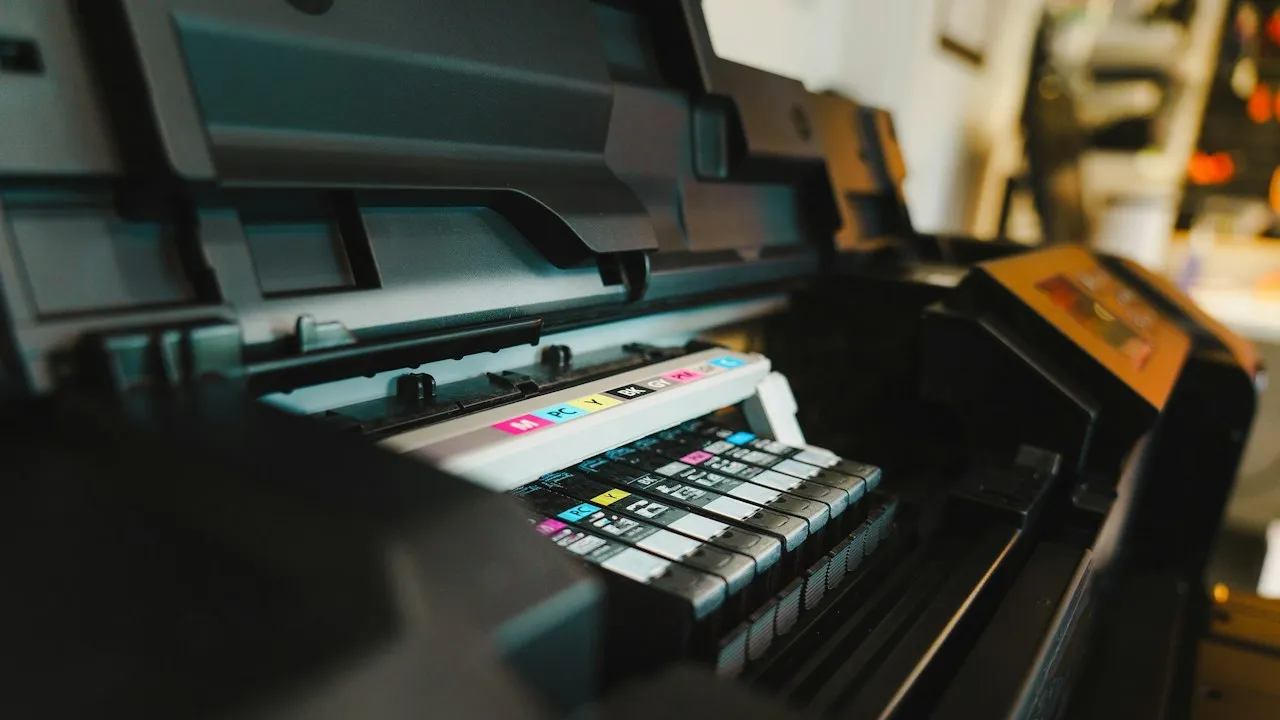
Choosing printer ink and toner affects more than the appearance of a page. The right cartridge can improve print quality, reduce interruptions and keep running costs predictable. Whether you print occasional documents at home or produce large volumes for a business, your printer model, usage pattern and output expectations should guide the decision.
Start with your printer type and cartridge code
Inkjet printers use liquid ink, usually supplied in small cartridges or refillable tanks. They are well suited to colour documents, photographs and occasional printing. Laser printers use powdered toner, contained in a cartridge that works with heat to bond the image to paper. They generally suit frequent, high-volume text printing.
Before buying supplies, find the exact printer model and cartridge reference. These details appear on the printer itself, in its settings menu, in the manual or on the existing cartridge label. Similar-looking cartridges are not necessarily interchangeable, and an incompatible product can trigger error messages or fail to install.
Check whether your device uses separate colour cartridges or a combined tri-colour cartridge. Separate cartridges let you replace only the colour that has run out. Combined cartridges can be convenient, but replacing them may be necessary even when only one colour is depleted.
Printer faults are not always caused by an empty cartridge. If pages are streaked, faded or blank, consult How to fix common printer problems without a technician before ordering a replacement.
Match the cartridge to the way you print
Your printing habits have a direct effect on the best choice of ink or toner. A low-cost standard cartridge may be sensible for a household that prints a few forms each month. A high-yield cartridge can offer better value for an office that regularly produces invoices, reports or training materials.
Look at the page yield, which estimates the number of pages a cartridge can print under standard testing conditions. It is a useful comparison point, though real results vary. Documents with large images, colour backgrounds, bold headings or dense graphics consume more ink or toner than plain black text.
Consider these common needs:
- For sharp business documents, choose black toner or pigment-based black ink designed for text.
- For photographs, use photo ink and compatible glossy or matte paper where your printer supports it.
- For occasional use, avoid stocking excessive inkjet cartridges, as ink can dry in the print head over time.
- For busy teams, select high-yield toner cartridges to reduce replacement frequency and downtime.
- For colour-critical work, use products designed for consistent colour reproduction and test prints before large jobs.
If you are moving more records online, printing volumes may change considerably. How to set up a paperless office workflow can help you identify which documents still need physical copies and which can remain digital.
Compare genuine, compatible and remanufactured supplies
There are three broad cartridge categories. Genuine manufacturer cartridges, also called OEM products, are made by the printer brand. They are usually the simplest option for dependable compatibility, manufacturer-supported performance and predictable output. Their main drawback is the higher upfront price.
Compatible cartridges are new products made by a third-party supplier for use with particular printer models. Quality varies between suppliers. A reputable compatible option may provide substantial savings, but read product descriptions carefully and check return terms. Poorly made cartridges can leak, print unevenly or be rejected by the printer.
Remanufactured cartridges are previously used OEM cartridges that have been cleaned, inspected, refilled and fitted with replacement parts where needed. They can reduce waste and cost, provided they come from a supplier with sound testing procedures. Look for clear information about quality control, page yield and guarantees.
Avoid choosing only on the lowest listed price. A cheap cartridge with a very low yield may cost more per page than a higher-priced alternative. Divide the cartridge price by its stated page yield for a practical cost-per-page comparison.
Protect print quality and printer security
Ink and toner should be stored in a cool, dry place away from direct sunlight. Keep cartridges sealed in their original packaging until needed. For inkjet printers that are used infrequently, print a small test page every few weeks to help prevent nozzle blockages.
When replacing a cartridge, follow the printer manufacturer’s instructions. Do not touch electrical contacts, toner rollers or ink nozzles. Toner powder can be messy, so place the used cartridge in a bag before transport or recycling.
Modern printers are often connected to Wi-Fi, computers and cloud printing services. Firmware updates, print apps and email alerts can create security risks if accounts or devices are poorly protected. Review How to protect your devices from malware and phishing attacks to strengthen the wider environment around your printer.
Make a reliable purchasing routine
A simple buying routine avoids emergency orders and unsuitable cartridges. Keep a note of each printer’s model, cartridge code, typical monthly output and preferred supplier. If your office has several devices, label storage areas clearly so cartridges do not get mixed up.
Before placing an order, confirm the following:
- The cartridge reference matches the exact printer model.
- The stated page yield suits your expected print volume.
- The product is genuine, compatible or remanufactured, as intended.
- The supplier provides a clear returns policy and product guarantee.
- The cartridge can be recycled through the manufacturer, supplier or a local collection scheme.
- The paper type and cartridge are suitable for the documents you produce.
Choosing printer ink and toner with care helps you balance print quality, reliability and budget. By checking compatibility first, comparing yields rather than prices alone, and buying from trustworthy suppliers, you can keep your printer productive without unnecessary waste or expense.