


How to set up a paperless office workflow
A paperless office workflow reduces reliance on filing cabinets, printed forms and manual handovers. When documents move through a secure digital system, your team can retrieve information faster, collaborate from different locations and keep clearer records of approvals. The goal is not simply to scan every sheet of paper. It is to design a practical process for receiving, storing, reviewing and retaining business information.
Start with a clear audit of your current paperwork
Before choosing software, identify where paper enters your business and why it remains in circulation. Review invoices, contracts, expense claims, staff forms, delivery notes, customer correspondence and meeting documents. Speak with the people who handle these records every day, since they often know where delays and duplicate work occur.
Create a simple map for each document type:
- Where does it come from?
- Who needs to review it?
- Where is it currently stored?
- How long must it be retained?
- What happens after approval or completion?
This audit helps you prioritise the processes with the largest volume or greatest administrative burden. For many organisations, supplier invoices and employee onboarding forms are sensible starting points because their routes are predictable.
Choose tools that support the full document lifecycle
A reliable paperless workflow needs more than a scanner. You need tools that work together from capture through to archive or secure deletion. Avoid buying several disconnected applications without first confirming how documents will move between them.
Use cloud storage with sensible permissions
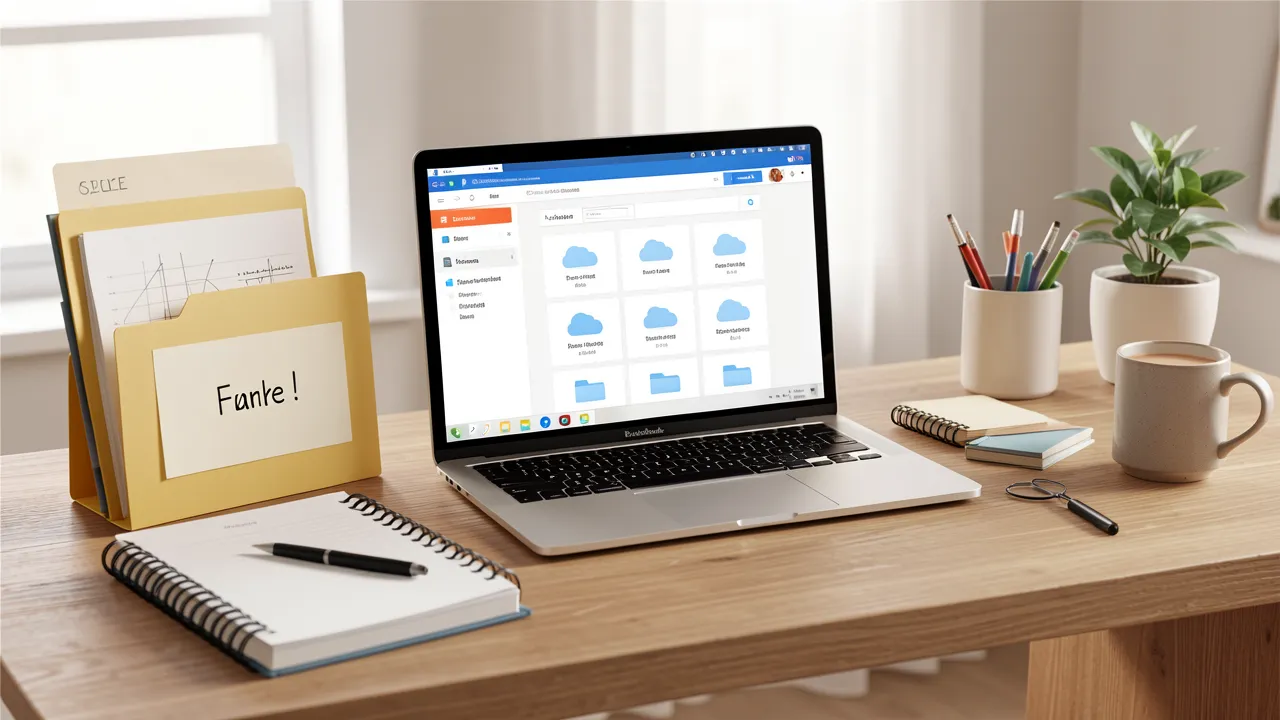
Your central document repository should provide version history, access controls, search and backups. Set up a folder structure that reflects how your organisation works, but keep it simple. For example, separate folders for finance, HR, operations and client projects can be more useful than a complicated hierarchy with dozens of nested subfolders.
Apply role-based access permissions so staff see only the documents relevant to their duties. HR records, payroll information and signed customer agreements often require tighter restrictions than general project files.
Choose a consistent naming convention. A format such as 2025-04-15_Supplier_Invoice-1042.pdf makes documents easier to find and sort. Agree the convention before large-scale scanning begins.
Capture documents with OCR
Optical character recognition, or OCR, turns scanned text into searchable content. It allows you to search for a supplier name, invoice number or phrase within a document rather than opening files one by one.
Use a scanner or mobile capture app that produces clean PDFs, automatically straightens pages and supports OCR. Check scans before filing them, especially where a document contains signatures, dates or financial values. Poor image quality can create problems later if a record is needed for an audit or dispute.
Replace physical signatures with approved digital processes
Electronic signatures can shorten approval cycles for contracts, policies and purchase orders. Select a service that maintains an audit trail showing who signed, when they signed and what version they approved. Define which documents may be signed electronically and which, if any, require another form of authorisation under your industry rules.
For guidance on electronic signatures and their legal standing in the UK, review the UK government guidance on electronic signatures.
Build repeatable workflows instead of digital clutter
Scanning paper without changing the underlying process merely creates digital clutter. Each document category needs a clear route, assigned ownership and a defined outcome.
For instance, an invoice workflow might follow these steps: a supplier emails an invoice, the finance system captures it, OCR extracts key fields, the relevant manager approves the cost, finance schedules payment, and the final record is stored under the supplier and financial period.
Set automated reminders for documents waiting for approval. Use status labels such as “received”, “under review”, “approved” and “archived” so nobody has to guess where a file sits. Automation should remove repetitive administration, not remove accountability. A named person should still monitor exceptions, failed uploads and overdue tasks.
Protect data while making it easier to access
A paperless office can improve security, provided your policies match the technology. Printed records can be copied, misplaced or left on a desk. Digital files require different safeguards, including strong authentication, secure sharing practices and planned retention periods.
Require multi-factor authentication for cloud storage, finance systems and e-signature platforms. Train staff to recognise phishing messages that request login credentials or false payment changes. Back up essential records and test whether you can restore them.
Your retention policy should state how long each document category is kept and how it is securely deleted. Finance, tax, employment and health-related records can carry specific legal duties. Obtain professional advice where regulations affect your business.
Reliable connectivity also matters when records are stored in the cloud. If remote staff struggle to upload scans or access large files, How to improve Wi-Fi speed and coverage at home offers practical steps for improving a home working setup.
Help your team adopt the new way of working
Technology succeeds only when people use it consistently. Give staff short, role-specific training rather than a single broad demonstration. A finance colleague needs to understand invoice routing, while a project manager may need to manage version control and client approvals.
Create a one-page guide for common tasks, including where to save files, how to name them and how to request access. Assign a workflow owner who can answer questions and adjust the process when recurring issues appear.
Start with one department or document type, gather feedback and refine the setup before expanding. This phased approach limits disruption and gives your team time to build confidence.
A paperless workflow becomes stronger through regular review
Once your new process is operating, measure whether it is delivering useful results. Track approval times, search time, printing costs, missing documents and the number of manual handovers. Review these figures every few months, alongside staff feedback.
Key points to retain include:
- Begin with a document audit rather than scanning everything at once.
- Use OCR, secure cloud storage and e-signatures to support complete workflows.
- Define ownership, approval stages and retention rules for each document type.
- Protect records with permissions, multi-factor authentication and tested backups.
- Train staff around the tasks they perform, then improve the workflow in stages.
A well-planned paperless office gives you more than a tidier workspace. It creates accessible records, faster decisions and clearer accountability, while allowing your technology to support everyday work without adding unnecessary complexity.